
CarPlay
Complete CarPlay integration, from the first wired connection to the newest multi-display experiences.
- Wired CarPlay
- Wireless CarPlay
- CarPlay Ultra
- CarPlay video playback
- FairPlay integration
- Certification support
AUTOMOTIVE INFOTAINMENT
We engineer the in-cabin experience — phone projection, wireless display, rear-seat entertainment and media pipelines — integrated, certified and ready for production.
 CarPlay
 Android Auto
THE IN-CABIN EXPERIENCE
Drivers expect their maps, music, calls and messages to appear the moment they sit down — without cables, delays or setup screens.
Behind that simple moment sits a demanding mix of projection protocols, authentication, low-latency video, audio routing and vehicle integration. Qmotive engineers that complete chain so the experience feels effortless to the driver and dependable to the vehicle program.
ON THE DASHBOARD
The phone stays in the pocket. Its apps appear on the car's own display, sized and laid out for that screen, and controlled with the car's touch, knobs and steering-wheel keys.
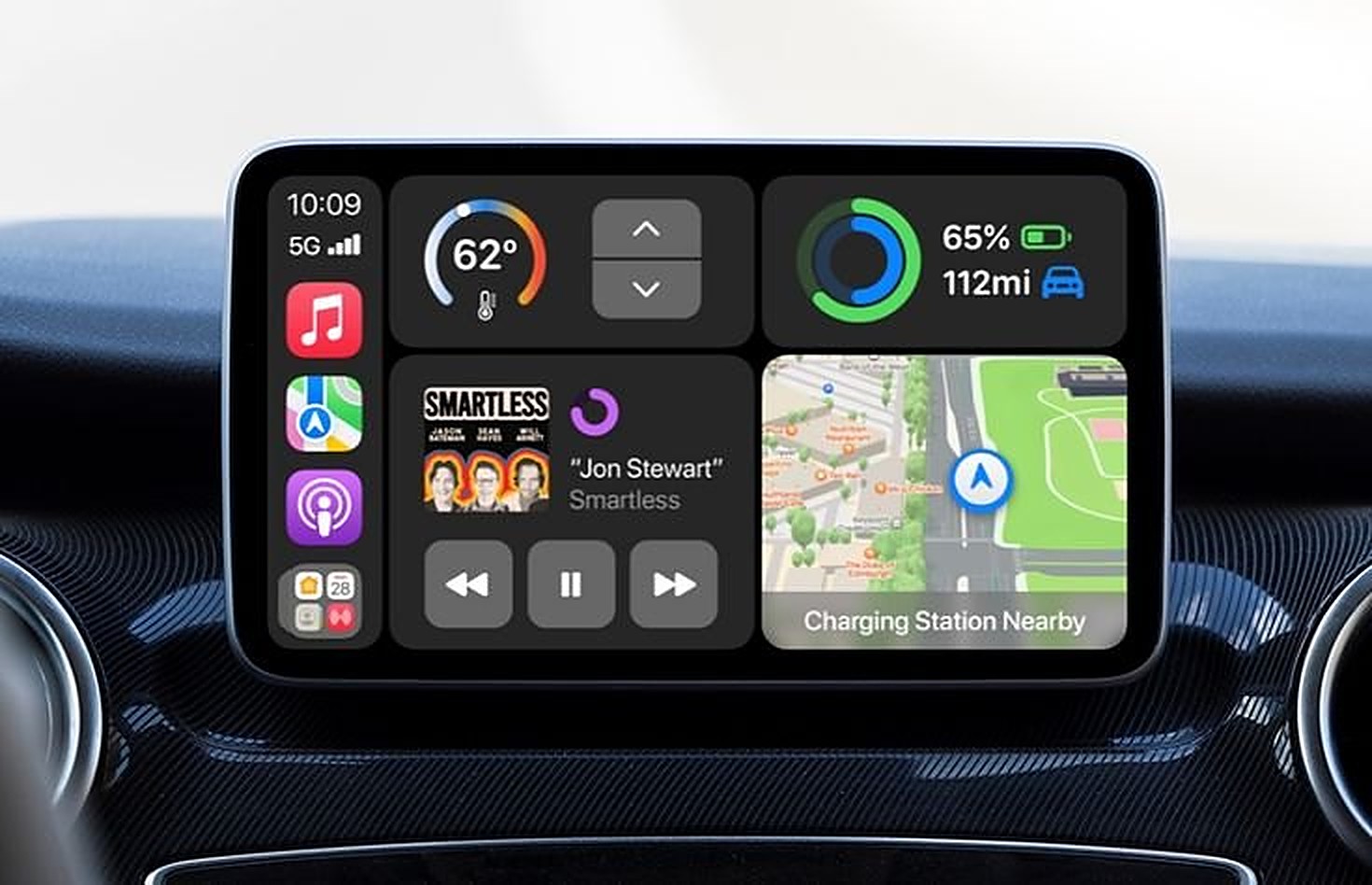
Media, maps, climate and vehicle status side by side on a compact center display.
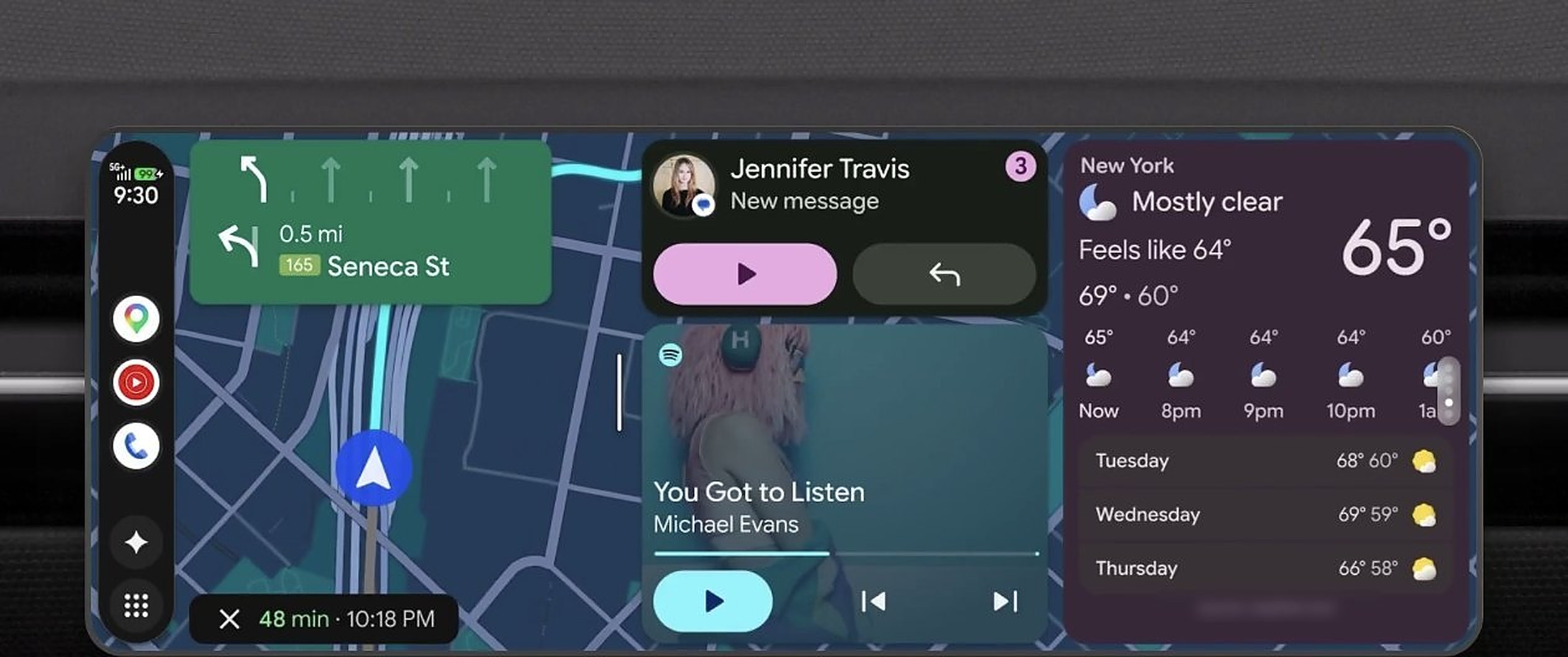
Turn-by-turn guidance, messages and media spread across a wide-format display.
INFOTAINMENT CAPABILITIES
Filter by area to see how our infotainment capabilities fit together — from phone projection to video pipelines running on the head unit.
Complete CarPlay integration, from the first wired connection to the newest multi-display experiences.

Android Auto projection integrated into the head unit, validated against real phones and real driving use cases.
The device-side foundation that lets phones and media players identify themselves and exchange content with the head unit.
Cable-free screen sharing to in-vehicle displays, with protected content handled correctly end to end.
Multimedia for passengers — independent content per seat, with devices that can join and share.
Smooth playback and streaming built on hardware-accelerated pipelines tuned for the head unit's silicon.
Projection, media and display features only matter once they run reliably on the vehicle's own platform. We bring them together inside the head unit software.
ANATOMY OF A PROJECTION SESSION
A projection session looks instant to the driver, but several handshakes happen underneath. Select a step to see what Qmotive engineers at each stage.
INSIDE THE CAR
A modern car carries a screen for almost every seat. Select a numbered zone on the car, or from the list, to see the infotainment work behind it.
ENGINEERING THE DETAILS
Infotainment quality is judged in milliseconds and edge cases. These are the details we focus on so the experience holds up in the real world.
Navigation prompts, calls, voice assistants and media compete for the same speakers. Each source needs the right priority and transition.
Clean arbitration between phone and vehicle audioTouch, rotary controllers and steering-wheel keys must feel immediate on projected UIs, not like a remote screen.
Low-latency input path to the phoneVideo and audio arrive over different paths. Without careful pipeline tuning, playback stutters or drifts out of sync.
Smooth, synchronized playbackThe phone should reconnect automatically every time the vehicle starts — after updates, interference and many paired devices.
Dependable auto-connect behaviourPremium video and mirrored content carry protection requirements that must be met across every hop to the display.
HDCP and FairPlay handled end to endRadio, vehicle settings and camera views must interrupt and hand back to projection gracefully, without losing state.
Seamless switching between experiencesCERTIFICATION READINESS
A projection feature that works on the bench can still fail formal testing. We plan for certification from the start, so hardware, software and documentation are ready together.
Program specifications, feature scope and target devices defined.
Hardware, wireless and audio design checked against requirements early.
Projection, media and vehicle inputs integrated on the head unit.
Test suites executed internally with phones across OS versions.
Submission support, issue analysis and fix verification.
Re-validation as phone OS and vehicle software updates arrive.
Qmotive provides CarPlay and Android Auto certification support. Formal approval is granted by the respective program owners; our role is to prepare the product and help close findings efficiently.
ON YOUR PLATFORM
Infotainment features are delivered on the operating system your program has chosen, integrated with your middleware, HAL and OEM-specific services.
Projection and media integrated into Linux-based head units, with GStreamer-based A/V pipelines and hardware acceleration.
Projection, media and display features integrated with Android and Android Automotive OS, using MediaCodec-based playback.
Infotainment-related functions on real-time platforms where fast start-up and deterministic behaviour matter.
BUILD YOUR INFOTAINMENT EXPERIENCE
Tell us about your platform, displays and certification timeline. We'll help you shape a path from integration to a production-ready cabin experience.